

Tower of Hell private servers explained: the VIP settings menu, what a private tower actually changes, and how to run one with friends.
Tower of Hell is a public obby by design — randomly generated towers, no checkpoints, and a lobby full of strangers racing you to the top. A private (VIP) server changes that equation in a few specific ways. Here is what it does, what it costs, and whether it is worth it for how you play.
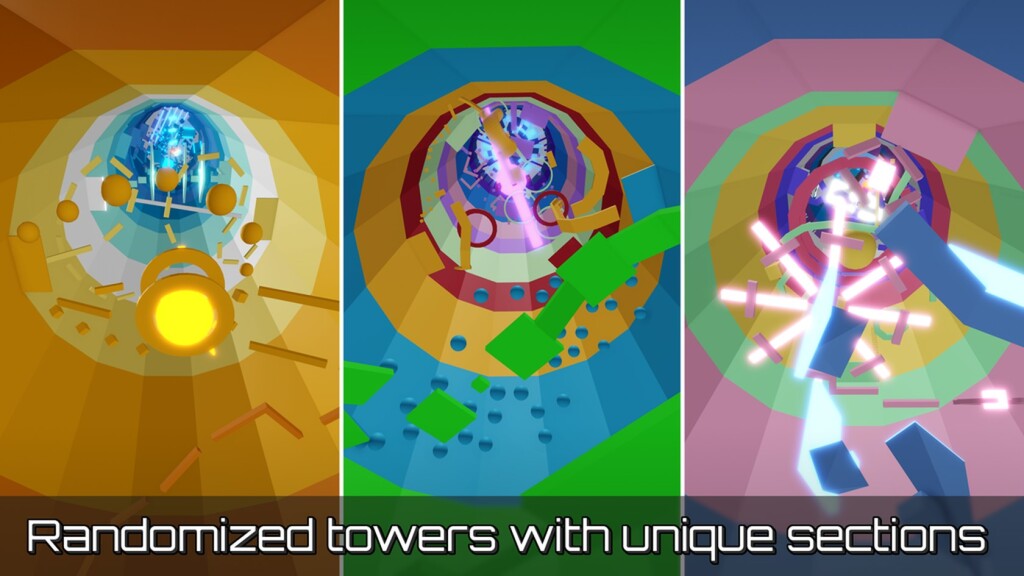
Tower of Hell by YXceptional Studios is a randomly generated obby with, in the developer's own words, absolutely no checkpoints at all. You spawn at the bottom, climb, fall, and start the section again. It is one of the most-played obbies on the platform, servers cap at 20 players, and the whole point is that the tower is different every round.
The developer documents the VIP-server feature directly: owners of VIP servers get a settings menu that can skip rounds, set the tower size, and lock the shop. In practice that means:
Private servers in Tower of Hell are purchased with Robux from the game's Store page on Roblox — the price is set by the developer and shown there, so check the Store page rather than trusting a number from a third-party site. Once purchased, the server appears under the game in your Roblox profile and you can invite friends from there.
If you play Tower of Hell to practise movement, a private server is the single biggest quality-of-life upgrade available: controlled tower length, no interference, and instant rounds. If you play for the race and the chaos of a public lobby, the free version already delivers that. Either way, the fundamentals are the same, and our Tower of Hell guide covers the stage types and skills, the Tower of Hell codes list covers free rewards, and the Tower of Hell wiki digs into how the random generation works. The Tower of Hell game page ties it all together.
Looking for more climbing? Barry's Prison Run obby is another pure-movement challenge on the platform, and you can browse the full category on the Roblox obby games page.