

How to use Catalog Avatar Creator to pose, customize, and publish avatar scenes on Roblox.
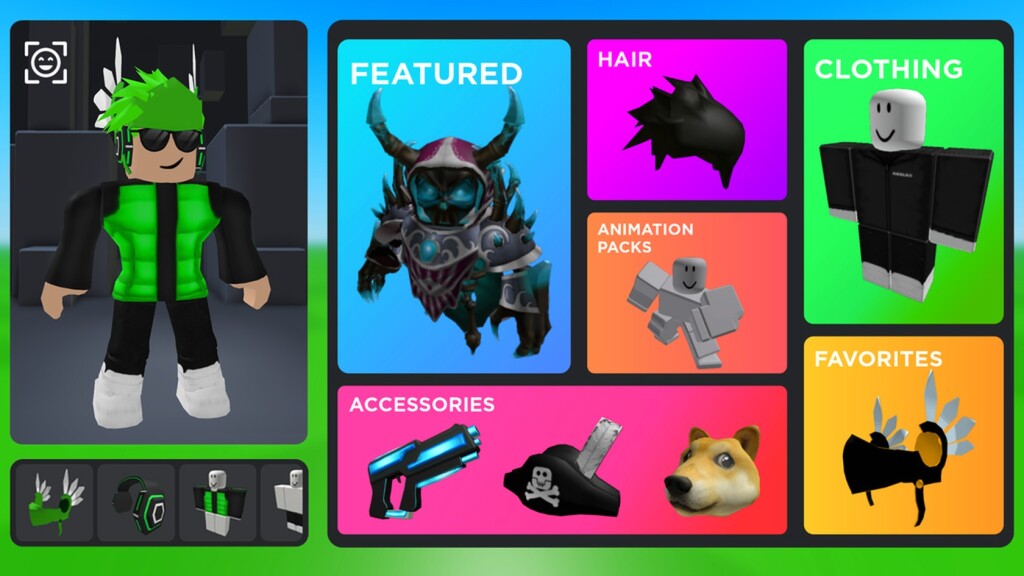
Catalog Avatar Creator is a Roblox experience built around dressing up, posing, and sharing avatar scenes. Instead of playing to win, you explore the catalog, mix items, and craft looks you can show off or use as profile art.
Enter the experience, open the catalog, and equip items you own or that are featured. Use the posing tools to set angles, then save or publish your scene. Because the focus is creative, there is no single “right” way to play — experiment with layers and themes.
The Catalog Avatar Creator page links to the official experience. Players who enjoy open-ended creativity often also like Brookhaven for its roleplay freedom.
Avatar tools sit in the broader Roblox creative space — see Roblox experiences for more. If you want a social world to wear your looks in, Roblox roleplay games are a natural next stop.
Save versions often, study poses you like, and keep an eye on featured items so your scenes stay current.